
Contents:
Why Should You Mark Your Images as Post-Worthy?
Posting three to five times a week helps keep your restaurant top of mind and attract new guests — but not everything has to be done manually. That’s where marking your best photos as Post-Worthy comes in!
SpotHopper uses your selected images to automatically create social posts that are AI-generated, engaging, and perfectly matched to your audience — all with minimal effort on your end.
Simply choose the images that best represent your restaurant, and SpotHopper will turn them into polished posts that keep your feed active.
💡 Tip: The more images you select, the more variety your posts will have, helping you reach even more people.
How to Select Post-Worthy Images?
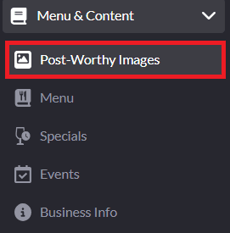
Once your Social Media Accounts are connected, navigate to the "Post-Worthy Images" tab under "Menu & Content" from the left sidebar.
On the Post-Worthy Images page, you’ll see all the photos you’ve uploaded to your SpotHopper gallery. Your images are grouped into three categories, which you can access through the tabs at the top right of the page.
1) Post-Worthy
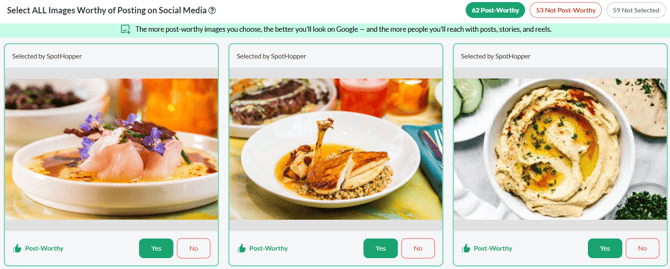
Under the Post-Worthy category, you’ll see all the images marked with "Yes." These are the post-worthy photos the platform will use for automatic social posts.
2) Not Post-Worthy
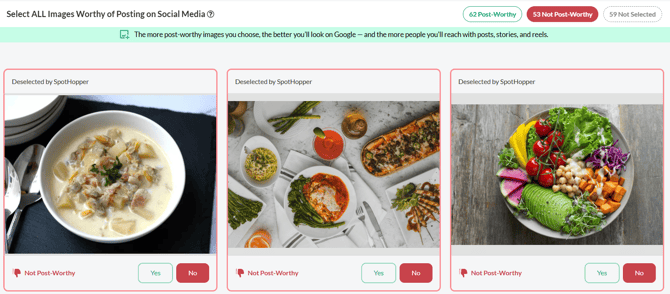
The Not Post-Worthy category shows the images marked with "No." The not post-worthy images will not be used when creating posts.
3) Not Selected
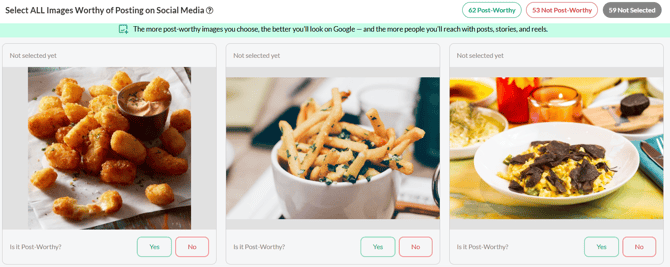
The Not Selected tab is for the images you haven’t categorized yet. The platform won’t use them when generating posts until you decide whether they’re Post-Worthy or not.
Marking Your Images
All you have to do is click "Yes" to mark the image as Post-Worthy, and "No" if you think it is Not Post-Worthy.
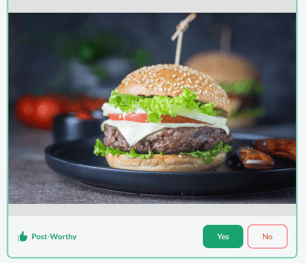
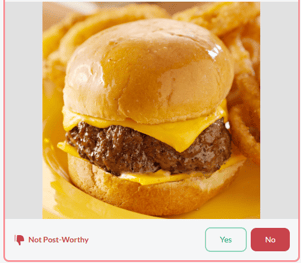
💡 Tip: Press Y or N on your keyboard to quickly approve or deny each image — the platform moves to the next automatically, making marking even faster.
How Do "Post-Worthy Images" Posts Look?
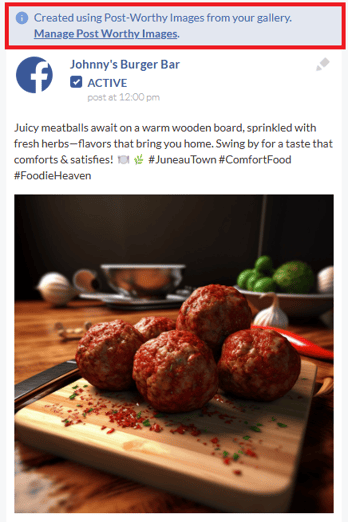
Posts created from your Post-Worthy Images appear alongside your other scheduled posts in the Facebook Posts and Instagram Posts pages under the Marketing tab.
You can easily identify these posts by the note displayed above them — "Created using Post-Worthy Images from your gallery."
This label shows that the post was automatically generated using the photos you marked as Post-Worthy.
Managing Post-Worthy Images
Keeping your Post-Worthy Images up to date ensures the platform always has fresh content to work with. As you upload new photos to your SpotHopper gallery, revisit the "Post-Worthy Images" page to mark your favorites. This helps the platform continue creating a steady mix of high-quality, relevant posts.
After your posts are generated, take a moment to review, edit and approve them before they go live. A quick check guarantees that every post reflects your restaurant’s best look — from the food to the atmosphere.